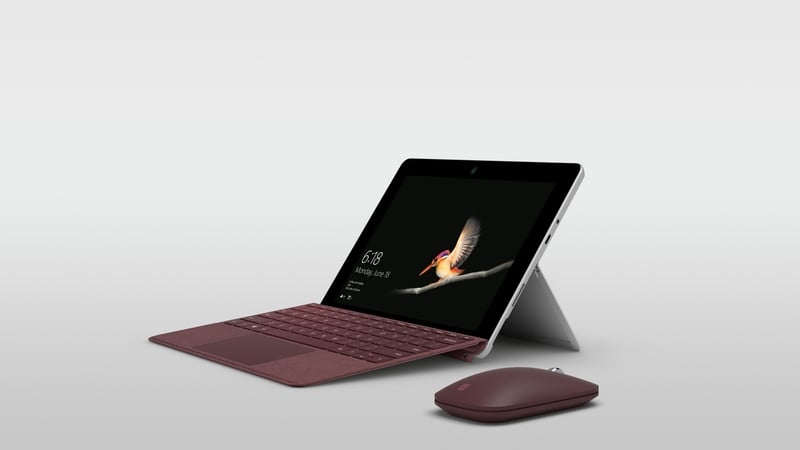

The Surface family of devices has been steadily growing in number since its launch six years ago.
The devices have in the main proven well built and capable, but in nearly all cases at a higher than average price tag.
Microsoft has consistently shunned the lower end of the market, preferring instead to target those who are prepared to pay a more premium-level price for a premium product.
That is until now. The new Surface Go tablet is the first device in the range at the entry tier of the market – the entry tier of the premium market that is.
The challenge the company faced was building a device that met the price and size criteria, while at the same time maintaining the power, performance and mobility expected from a Surface.
And for the most part, Microsoft has done a pretty good job.
In the looks department, the Surface Go is a stylish looking device.
If you had handled a Surface Pro before, you’d recognise the Go as one of the family, with its relatively thick body and angular sides.
It feels a little on the heavy side and it is compared to the iPad.
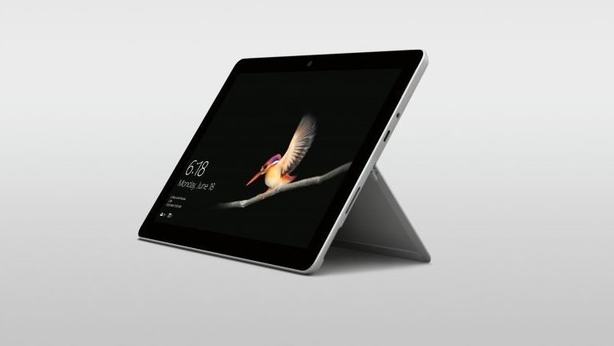
But nonetheless it is comfortable to handle and has the trademark kickstand on the rear, which folds to 165 degrees - useful when you are using the (optional) Surface Pen.
The Go has a 10" PixelSense display, with a resolution of 1800 x 1200 and 218 dpi.
That, on paper at least, isn’t the best spec around, but in reality it is crystal clear, sharp and bursting with colour.
The aspect ratio is 3:2 which is handy for documents etc, but the sizeable bezel around the outside does reduce the usable screen real-estate quite a bit.
In terms of connections, the device has a Surface Connect port for charging and connecting to a dock, a USB-C port (which can also be used for charging) a microSDXC card slot and a 3.5mm headphone jack.
It runs Windows 10 in S mode, which gives you the full desktop experience, but means you can only run apps that can be downloaded from the Microsoft Store.
That, in the main, won’t hold you back too much, although you might find some apps don’t have all the bells and whistles that direct download software do.
The tablet comes in two hardware variants – one with 4GB of RAM and 64GB of eMMC storage, the other with 8GB of RAM and 128GB of solid state – and both powered by an Intel Pentium Gold 4415Y.
The higher spec version we road-tested was, as you would expect with 8GB of memory, quick, smooth and capable when doing heavier jobs like multitasking.
This is, though, an entry level machine remember, so if you want a powerhouse, you might need to aim higher.
Right now there isn’t a version with cellular connectivity, but that will be addressed in the coming months, the company says.
The main camera has an 8 MP sensor with autofocus and 1080p video recording, while the front facing camera is a 5 MP unit, also with 1080p video recording.
The device is Windows Hello ready, with a face authentication camera built in, but there is no fingerprint reader.
The battery promises up to 9 hours of continuous video playback and certainly we found it went a very respectable distance under a variety of uses.
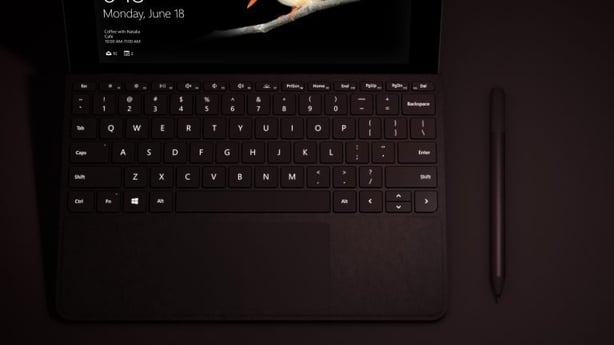
Although it doesn’t come with the device, you’ll probably want the optional detachable type cover, which has mechanical keys and a track pad larger than the one used with the Surface Pro.
It performs well, despite being a little smaller than the equivalent version for its bigger older sibling.
The device hit the shelves last week and costs €459 for the lower spec version and €619 for the higher powered variant.
That’s quite a bit more than the entry level iPad, but then it only comes with 32GB of storage and 2GB of RAM, so in some ways you get what you pay for.
It’s a good deal less though than equivalent Samsung Galaxy Tab S4 with S-Pen.
The type cover for the Surface Go will cost you €100 while if you want the Surface Pen then add another €115.
Surface Go is aimed at those in post-primary and third-level education, front-line workers in sectors like retail and healthcare and people who need a secondary device to a laptop or desktop for mobile computing.
And the reality is that as a versatile, portable, reasonably powered and relatively affordable device, it would fit well in any of those roles.